
Example Dataset Generation#
The NWB GUIDE tutorials focus on converting extracellular electrophysiology data in the SpikeGLX and Phy formats. To get started as quickly as possible, you can use NWB GUIDE to generate a Neuropixels-like dataset at the click of a button!
Note
The SpikeGLX data format stores electrophysiology recordings.
The Phy data format stores spike sorting results.
Navigate to the Settings page using the button at the bottom of the main sidebar. Then press the Generate button in the top-right corner to initiate the dataset creation.
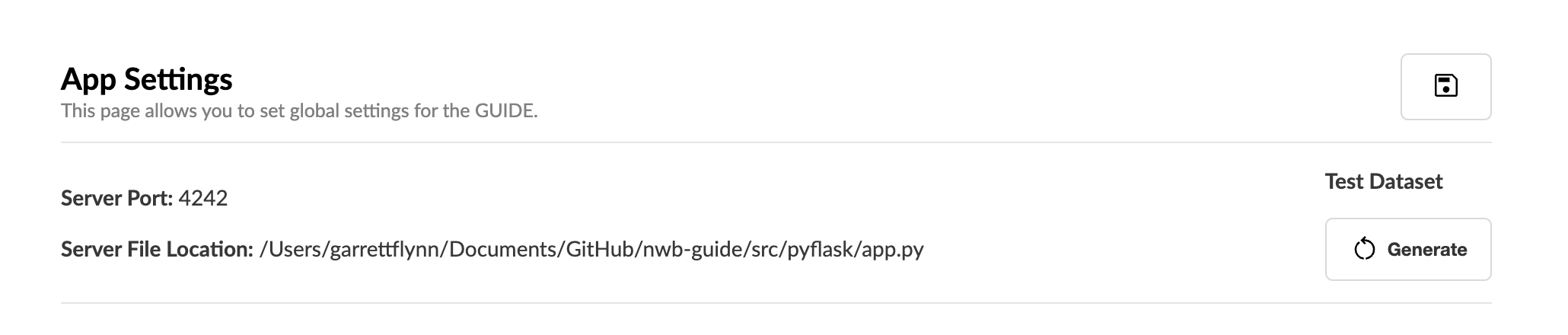
Press the Generate button on the Settings page to create the dataset.#
The dataset will be generated in a new ~/NWB_GUIDE/test_data directory, where ~ is the home directory of your system. This includes both a single_session_data and multi_session_dataset folder to use in the following tutorials.
The folder structure of the generated dataset is as follows:
test-data/
├── single_session_data/
│   ├── spikeglx/
│   │   ├── Session1_g0/
│   │   │   ├── Session1_g0_imec0/
│   │   │   │   ├── Session1_g0_t0.imec0.ap.bin
│   │   │   │   ├── Session1_g0_t0.imec0.ap.meta
│   │   │   │   ├── Session1_g0_t0.imec0.lf.bin
│   │   │   │   └── Session1_g0_t0.imec0.lf.meta
│   │   └── phy/
├── multi_session_dataset/
│   ├── mouse1/
│   │   ├── mouse1_Session1/
│   │   │   ├── mouse1_Session1_g0/
│   │   │   │   ├── mouse1_Session1_g0_imec0/
│   │   │   │   │   ├── mouse1_Session1_g0_t0.imec0.ap.bin
│   │   │   │   │   ├── mouse1_Session1_g0_t0.imec0.ap.meta
│   │   │   │   │   ├── mouse1_Session1_g0_t0.imec0.lf.bin
│   │   │   │   │   └── mouse1_Session1_g0_t0.imec0.lf.meta
│   │   │   │   └── mouse1_Session1_phy/
│   │   │   └── mouse1_Session2/
│   │   │       ├── mouse1_Session2_g0/
│   │   │       │   ...
│   │   │       └── mouse1_Session2_phy/
│   │   │           ...
│   ├── mouse2/
│   │   ├── mouse2_Session1/
│   │   │   ...
│   │   └── mouse2_Session2/
│   │       ...
Now you’re ready to start your first conversion using the NWB GUIDE!